




How to Withdraw
Simple and quick guide to withdraw from your Bwinners account
WAVE WITHDRAWAL METHOD
Wave Withdrawal Steps
👈 Swipe to navigate 👉
Step 1 of 7
1
Login & Access Profile
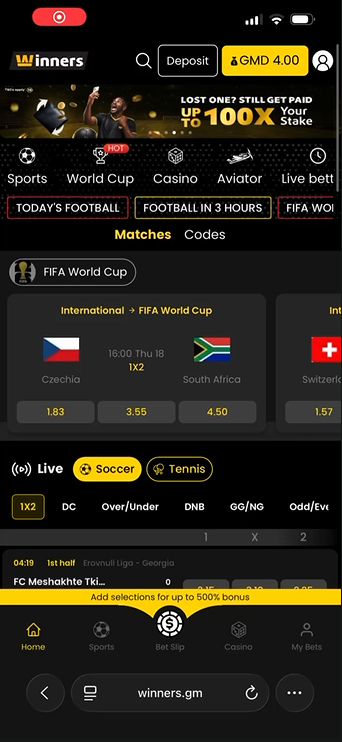
Login to your winners.gm account.
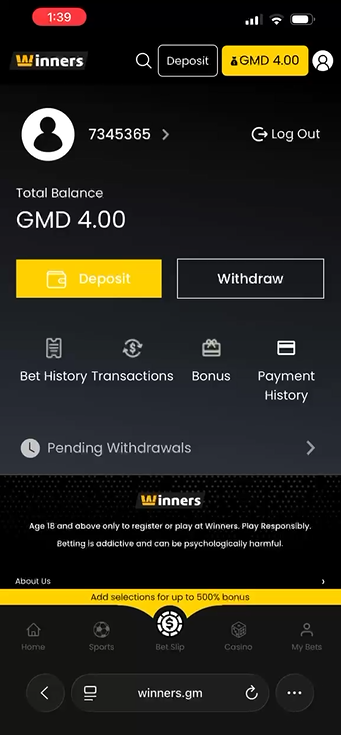
Click on "My Bets" at the bottom right of your screen.
2
Click Withdraw
Click on the "Withdraw" button.
3
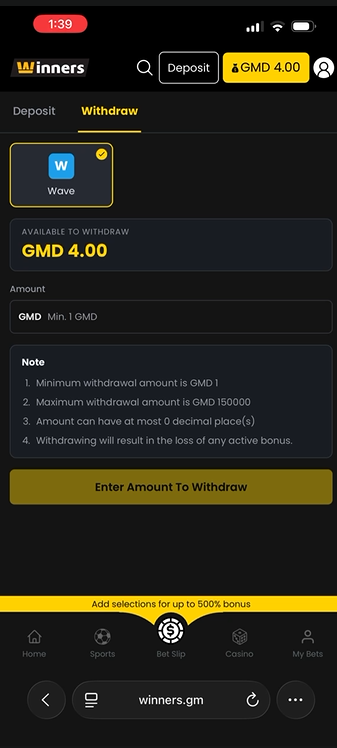
Enter Amount
Enter the amount you need to withdraw in the "Amount" input field.
4
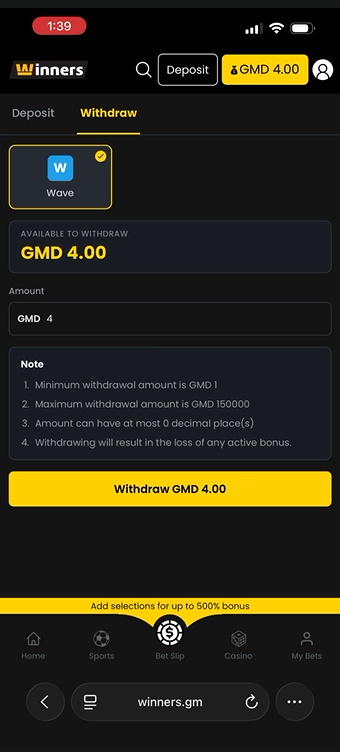
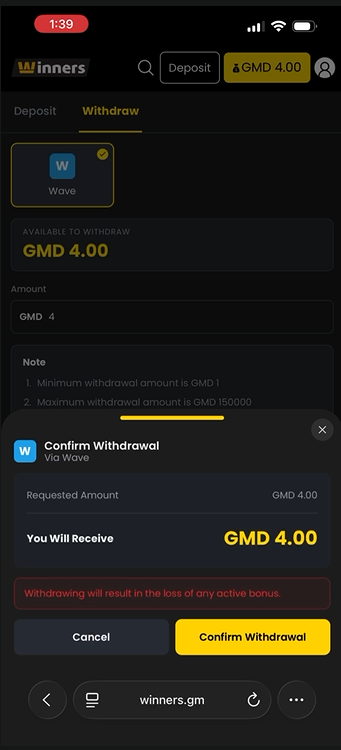
Confirm Amount
Once you have input your amount, for example GMD 4, then click on the "Withdraw GMD 4.00" button.
5
Confirm Withdrawal
You will receive an alert in the case you accept losing any active bonuses before withdrawing. If yes, click on "Confirm Withdrawal".
6
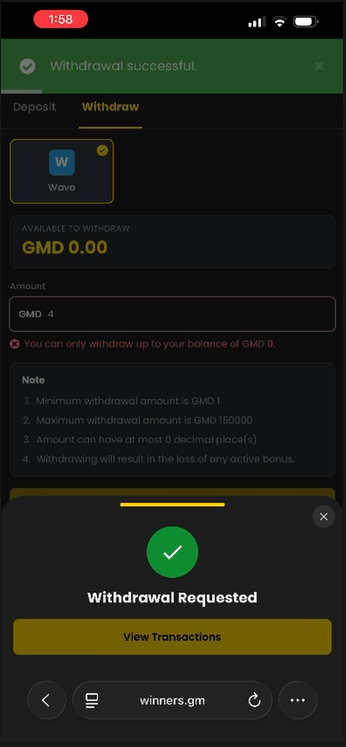
Request Successful
Your Withdrawal Request has been successful.
7
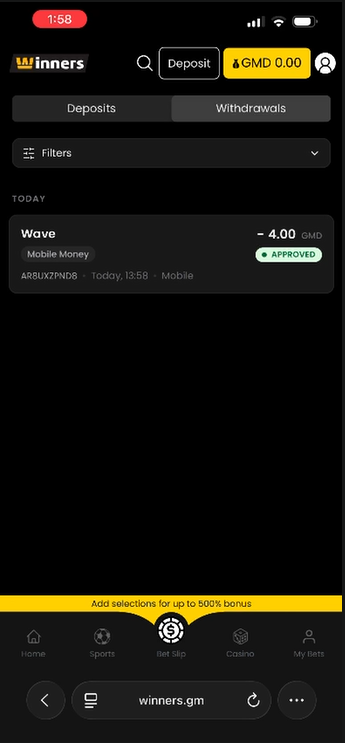
Withdrawal Confirmed
You will see "-4.00 GMD" has been withdrawn in the "Withdrawals" section.
✓ Done! Your withdrawal has been processed successfully.